TradingExpert Pro, Answered.
The questions traders ask most about the platform, the Expert Rating engine, data, and getting started.
 Try 30 Days for $1
 Education & Tutorials
 User Manual
 Technical Support
What is TradingExpert Pro and how is it different from other platforms?
TradingExpert Pro is a professional-grade trading platform developed by AIQ Systems. It uses a rule-based expert system with over 400 built-in strategies and analysis tools to help traders make decisions.
Unlike platforms that only offer charting or scanning, TradingExpert Pro integrates end-of-day analysis, strategy design, AI ratings, group/sector rotation, and backtesting into one system.
How does the AI-based Expert Rating system work?
Our AI-based expert system evaluates stocks based on over 400 technical rules, using indicators like RSI, MACD, volume, momentum, and more. When a sufficient number of bullish or bearish rules are triggered, the system issues higher signal ratings. +100 (strong buy) to −100 (strong sell) are the highest ratings issued.
Every rating is deterministic and auditable — you can see exactly which rules fired and why. It's AI that shows its math.
Can I use TradingExpert Pro to build and backtest trading systems?
Yes. TradingExpert Pro includes the Expert Design Studio (EDS), where traders can write, test, and refine custom strategies using our built-in programming language. You can scan historical data, test performance, and create rule-based alerts.
Don't want to write code? EDS ships with over 250 pre-built rules you can cut, paste, and combine. See the EDS video tutorials to get started.
What's the difference between end-of-day data and the intraday snapshot?
End-of-day data updates every evening and is ideal for swing and position traders. The intraday snapshot feature (available as an add-on) allows users to download delayed data during the trading session, enabling same-day analysis using the full TradingExpert Pro toolkit.
Real-time streaming is also available via the eSignal plans.
How does TradingExpert Pro help with group and sector rotation analysis?
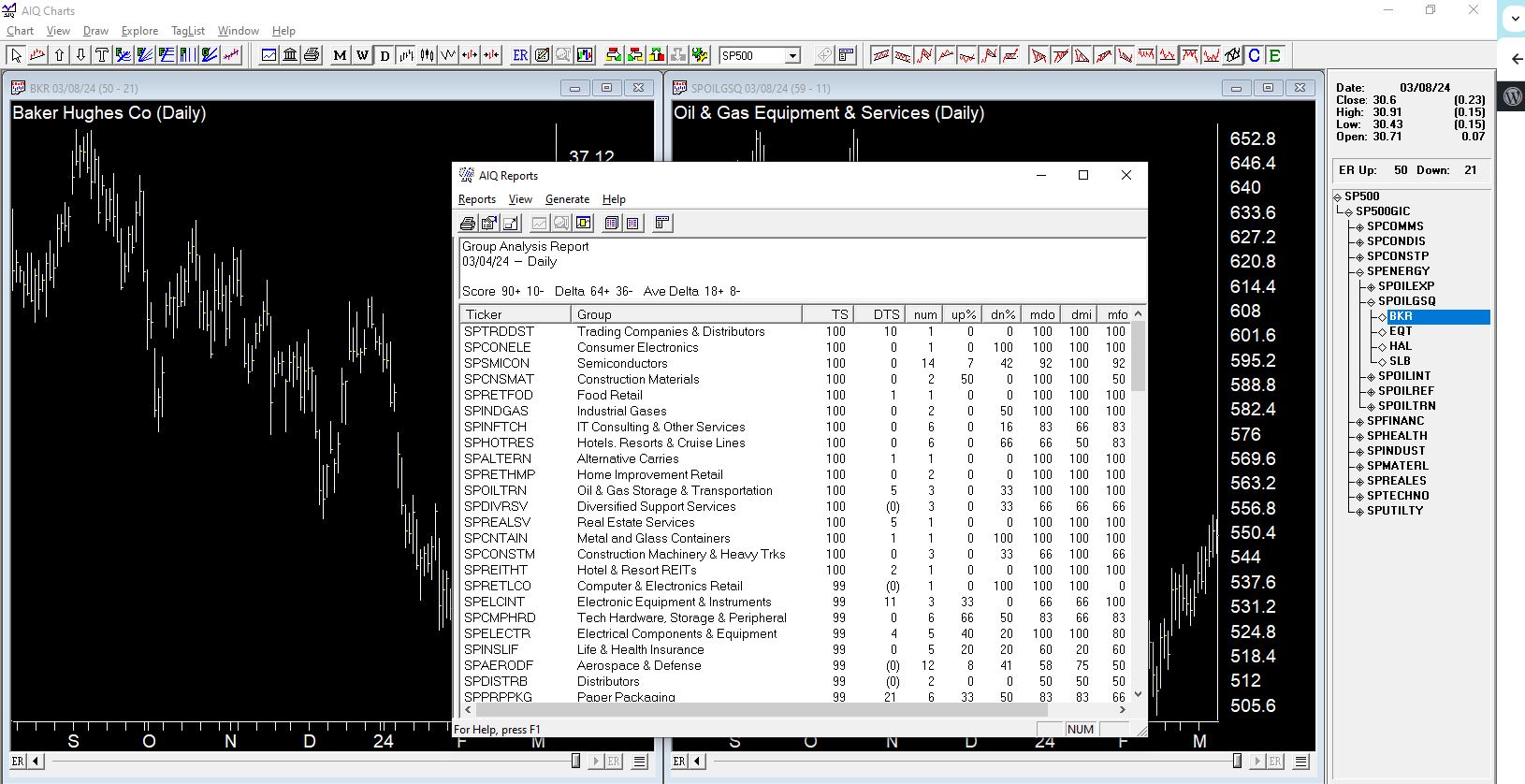
Our Group/Sector module tracks over 150 industry groups and 11 major sectors. Each group is scored daily based on performance and momentum. Traders can identify which sectors are leading or lagging and find top stocks within rising groups to improve timing and selection.
The built-in group and sector analysis reports provide insights into leading and lagging issues. The structure is a pyramid: at the base are all the stocks that have been placed into groups; industry-related stocks combine into groups, and groups combine into sectors.
Is there a trial?
Yes — the full platform for 30 days for $1, including real end-of-day data and a free 30-minute Kickstart call to get you set up. Start the $1 trial here.
What does TradingExpert Pro cost after the trial?
With Dial/Data end-of-day data, plans start at $106/month (or $124/month with the intraday snapshot add-on), with discounted annual options. Real-time plans with eSignal data start at $127/month. See Dial/Data plans and eSignal plans for current pricing and bonuses.
Which data providers does TradingExpert Pro work with?
TradingExpert Pro runs on end-of-day data from Dial/Data and IDC/ICE, and real-time streaming data from eSignal. Your subscription bundles software and data in one monthly fee — and upgrades are always included.
What kind of computer do I need?
TradingExpert Pro is a Windows desktop application. Installation takes a few minutes — the step-by-step install guide walks you through it, and if anything comes up, support@aiqsystems.com or (775) 747-8404 will get you sorted.
How do I learn the platform?
Three free resources cover everything: the Education page (video tutorials on Charts, EDS, RTAlerts, plus recorded trading sessions), the complete User Manual (every module, chapter by chapter), and the free video library. Prefer structured, personal instruction? Ask about the AIQ Mentoring Program.
No questions match that search — try a different term, or email sales@aiqsystems.com.
Still Have Questions? Try the Answer.
The fastest way to understand TradingExpert Pro is to use it — the full platform, 30 days, one dollar.
Try 30 Days for $1 →